
Have a Question?
JetStream Cloud Services
What is cloud computing and why should I use it?
Cloud computing is a type of metered technology that attempts to allow you to access storage, networking, and computing resources over the Internet. This provides several benefits such as scalability, as it allows you to easily scale up and down your resources based on demand. Another benefit is that it can be considered cost effective, as you only pay for the resources that you use rather than the large upfront investment in hardware. Next, accessibility, as you’re able to access data and applications from anywhere over the Internet. Finally, it also allows you the flexibility to choose from a wide range of services that are tailored to meet your needs whether it be computing power, different storage needs, or advanced data analytics such as machine learning and AI.
What is Jetstream?
Jetstream is an NSF-funded cloud computing platform specifically designed for educational and scientific research in the United states. Unlike traditional public cloud offerings, Jetstream is tailored to meet the needs of the academic community, providing easy access to researchers, educators, and students. Users are able to conduct computational research, run virtual machines to simulate various environments, collaborate with others by sharing resources and data, and it has access to a library of preconfigured virtual machines and services for specific scientific applications.
How is Jetstream different from other cloud computing platforms?
While Jetstream Is specifically designed for the research and educational communities, resources are typically tailored to support scientific and educational applications. Jetstream Also provides a simplified user interface making it easy for non-technical users and researchers to easily deploy and manage their virtual resources in the cloud environment. Jetstream is also built in managed with the input of the academic community, helping to ensure that future improvements are better meeting the unique needs of its users. Finally, because Jetstream is NSF funded, it can be offered at a reduced or free cost based on the eligibility of the academic users. Making it a lot more approachable and accessible compared to other public clouds such as AWS or Azure which can be expensive.
Why should I use Jetstream versus other cloud computing platforms like AWS and Azure?
- Because Jetstream is NSF funded, it can often be offered at a low or free cost point to researchers and educators. This is especially useful for researchers working with a limited or a shoestring budget.
- Tailored resources: Jetstream is optimized for academic research. As such, it’s able to provide specialized virtual machine and other tools designed specifically for scientific and educational research purposes
- Community support: Jetstream has a strong community of users and support staff who are familiar with many different types of academic research and needs. This means that there is assistance offered on different projects when it comes on how to implement your workload in this space.
- Ease of use: Jetstream has a simplistic interface which allows users with minimal technical expertise to effectively utilize the resources offered by Jetstream. Often other cloud providers can prove more problematic or confusing to new users who are not familiar with cloud environments
What comparable services does Jetstream offer compared to other cloud computing platforms?
- Virtual Machines (VMs): Similar to AWS EC2 or Azure VMs, Jetstream allows users to run virtual machines to perform computations, run simulations, or host applications.
- Storage Solutions: Jetstream offers scalable storage options to manage large datasets, similar to AWS S3 or Azure Blob Storage.
- Application Ecosystem: Jetstream provides a catalog of pre-configured VMs for various scientific applications, which can be compared to AWS Marketplace or Azure Marketplace.
- Collaborative Tools: Jetstream supports collaboration by allowing users to share their resources and data with others, similar to AWS Workspaces or Azure DevOps
Signing Up:
1. First you will need to visit the getting started sign up, which will prompt you to create an Accessid in the first step seen below:
https://jetstream-cloud.org/get-started/index.html
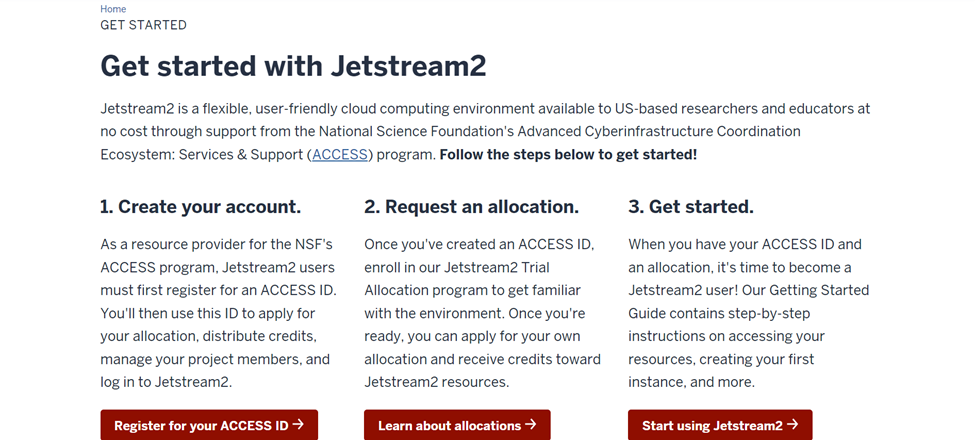
Figure 1. Jetstream Getting Started Page
2. Click the register link, then scroll to the bottom of the page and select the second option to create an account, which also requires you to add two-factor authentication using Duo.
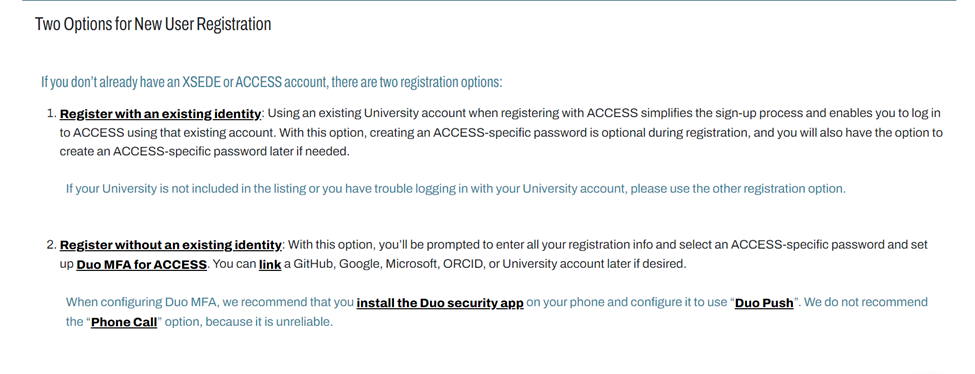
Figure 2. Registering Your Access Account for Jetstream
3. In order to user Jetstream, you will need an Access account
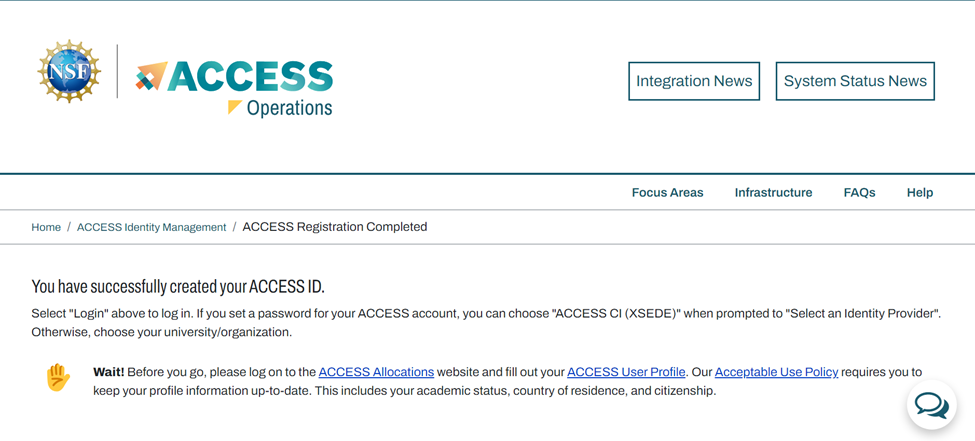
Figure 3. Access Allocation Registration Link
More info can be found at the getting started overview and system overview resource:
https://docs.jetstream-cloud.org/getting-started/overview
Proceeding this you will need to create and allocation to use on the Jetstream cloud.
Allocations:
The use of allocations is crucial to deploying resources on the Jetstream cloud. More information about allocations can be found below:
https://allocations.access-ci.org/get-your-first-project
Trail portal:
https://portal.jetstream-cloud.org
To use jet stream, you will need an allocation which requires either user credits, or the trial allocation which you’ll use in this tutorial.
Enroll in the trial
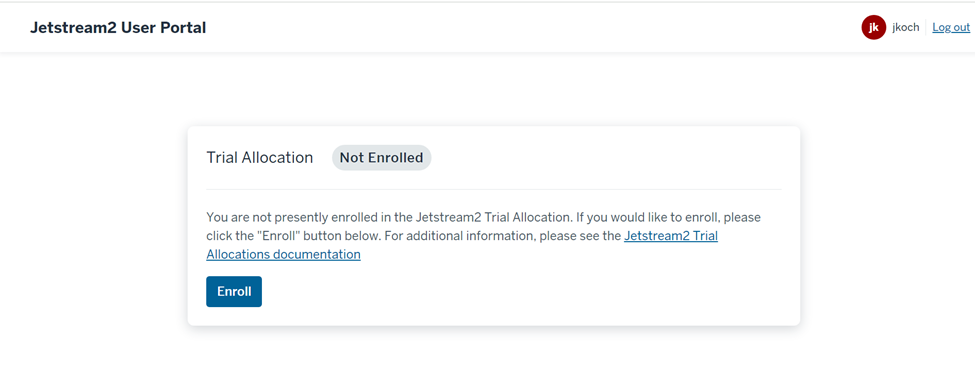
Figure 4. Trial Allocation Enrollment Page
This is a trial page that gives you more information about allocation trials :
https://docs.jetstream-cloud.org/alloc/trial
Following this we can log onto the cloud cluster and begin deploying our resources:
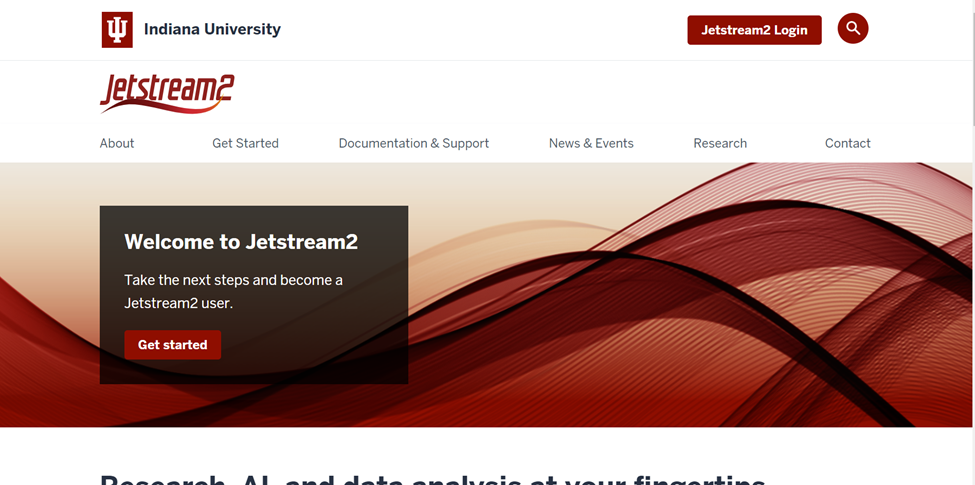
Figure 5. Jetstream Sign-on Page
Next you will be prompted to log in with your ACCESSid as shown below:
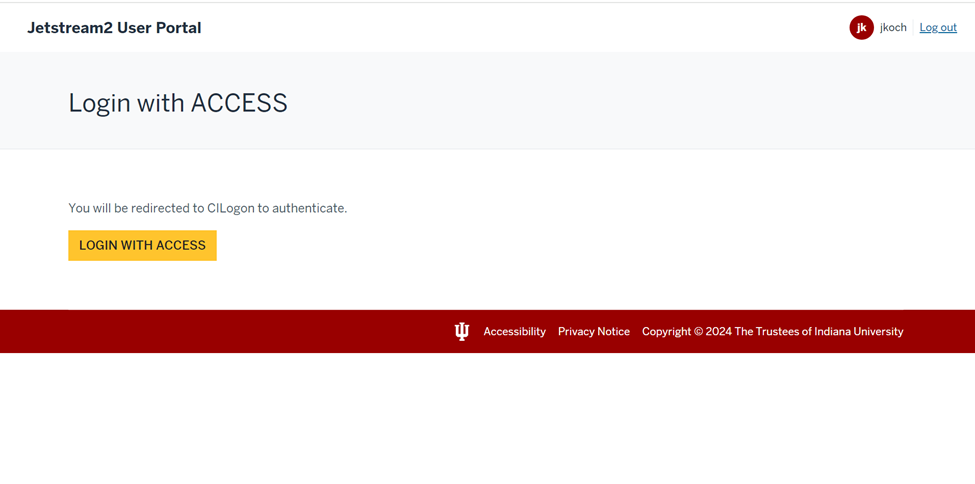
Figure 6. Login With Access Sign-on Portal
You will want to use the exosphere connection option located at “ https://docs.jetstream-cloud.org/getting-started/login/ “

Figure 7. Connecting Through Exosphere
Select your allocation account, which should be your ACCESSid name with pto with Jetstream, which will have your name for the trial user. (Note your allocation will take several hours to become active before you can use it or log into Jetstream)
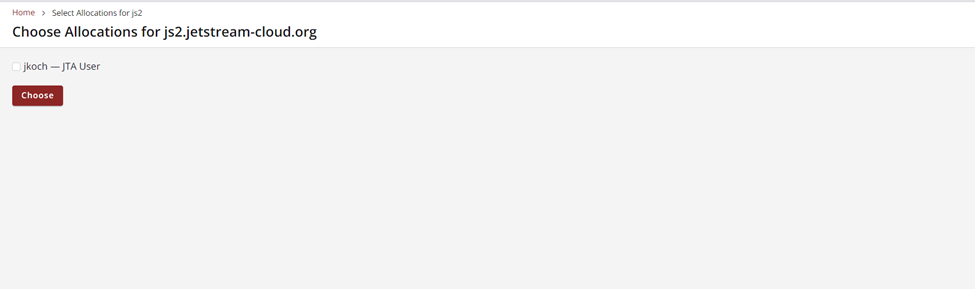
Figure 8. Selecting a User
Next, select the allocation which will also have your username as shown below:
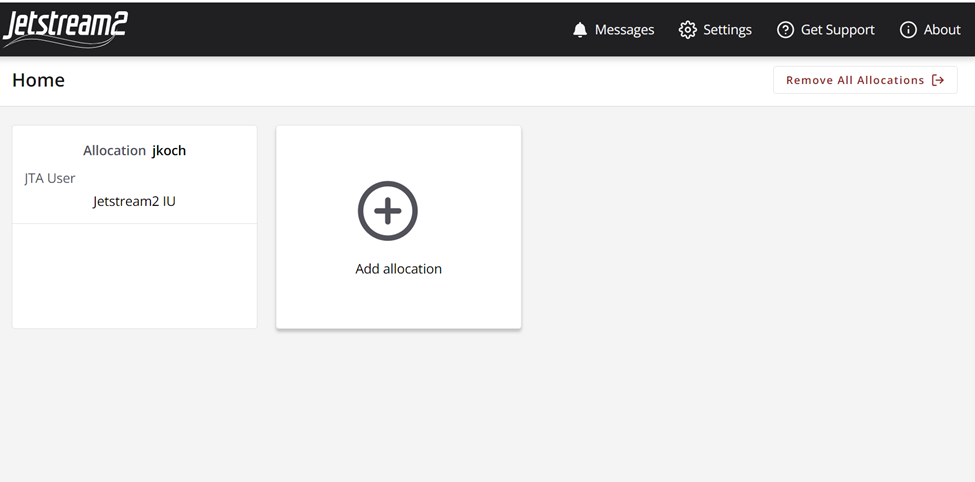
Figure 9. Allocation Selection
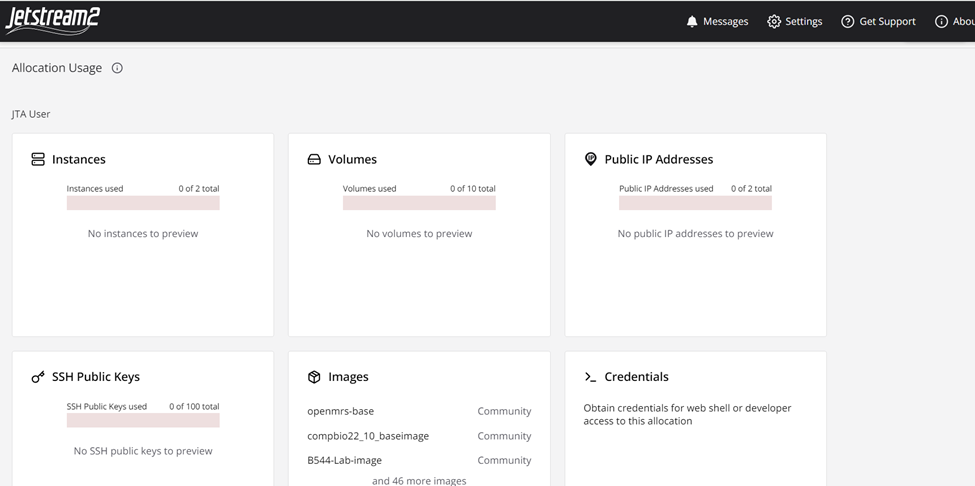
Figure 10. Jetstream Dashboard
By clicking on the resources by type, you’re able to quickly create your resources using a GUI, which simplifies operations for users. There are a variety of resource types that are available too, such as multiple OS’ for users to deploy.
You’re able to also quickly create resources, also by clicking the dropdown menu that says “Create”.
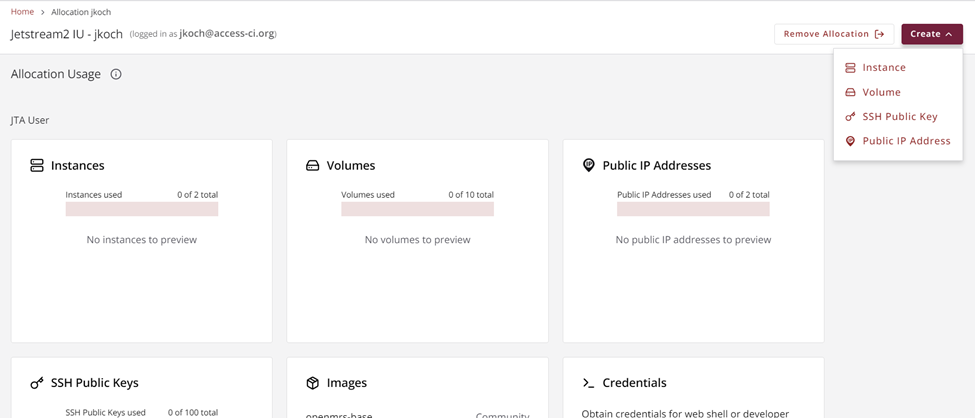
Figure 11. Create Menu
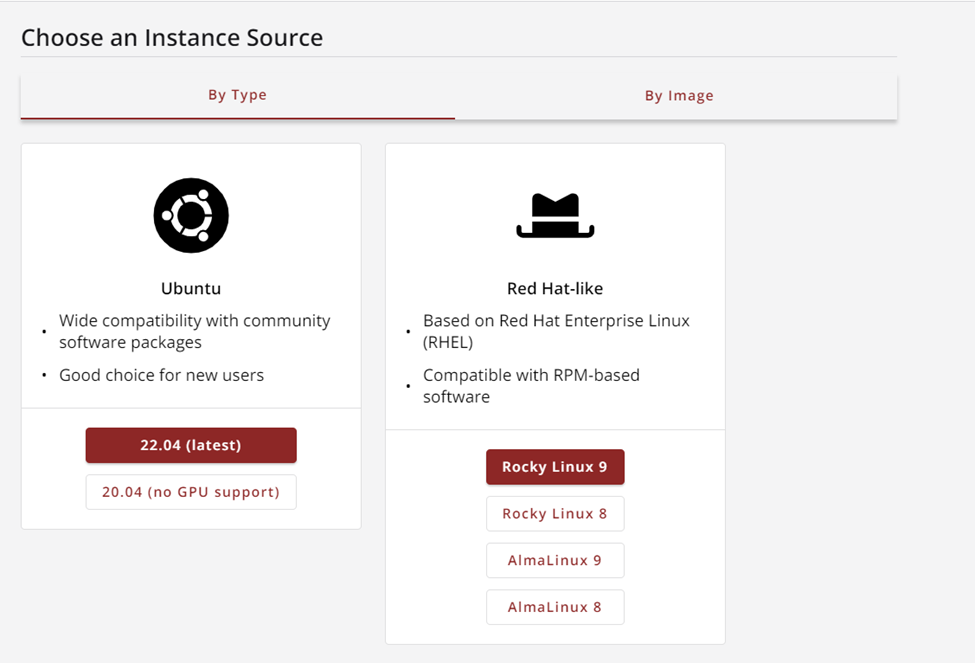
Figure 12. Creating a Compute Instance
Or different storage options, in this example you can see how simple storage is to create in the interface.
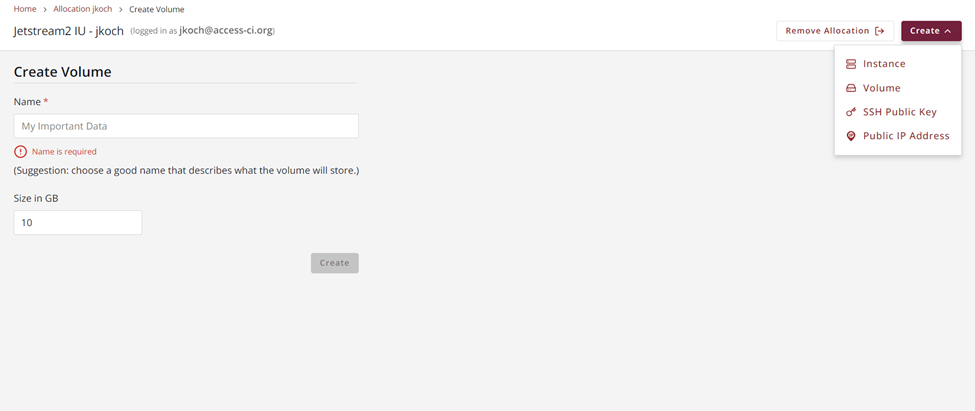
Figure 13. Volume Creation Menu
Much like AWS or Azure, you can also secure your account with credentials and public key services. You’re also able to make your resources publicly available through public IPs, which is beneficial for web application research.
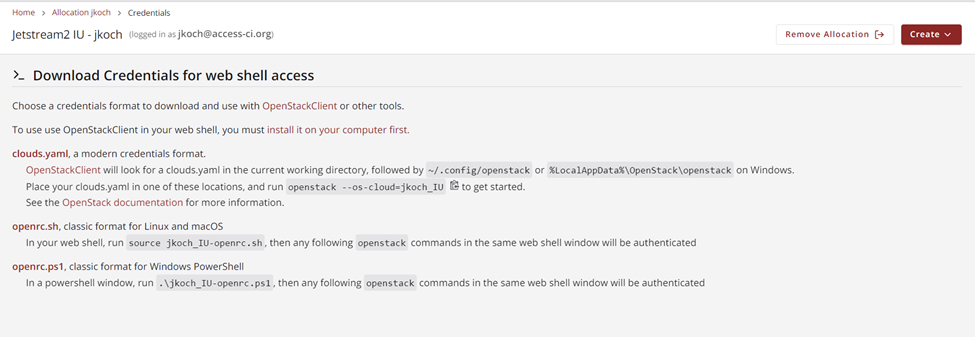
Figure 14. Security Credential Creation Page
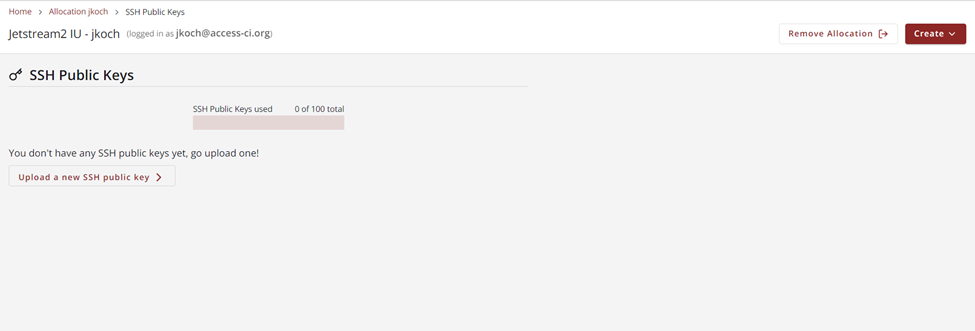
Figure 15. Public Key Creation Menu
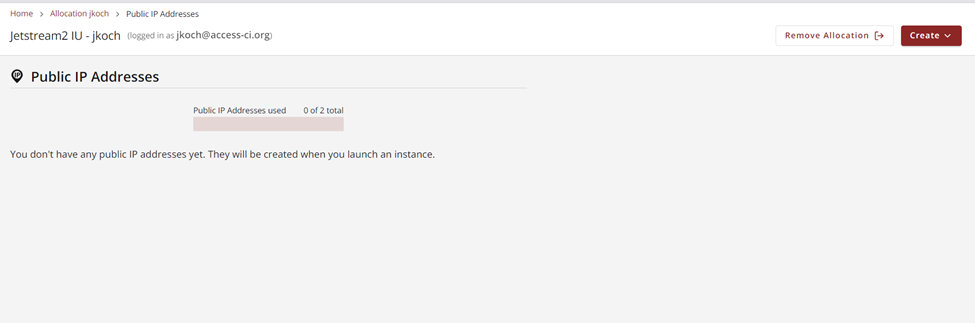
Figure 16. Public IP Address Creation Menu
Further Resources:
https://docs.jetstream-cloud.org/getting-started/overview
https://par.nsf.gov/biblio/10296117-jetstream2-accelerating-cloud-computing-via-jetstream