Have a Question?
Conda Environments in jupyter notebooks
You can create a custom Conda environment on the cluster and then allow the Jupyter notebook to use that environment in open on demand. The steps to take to accomplish that are:
- Log into the cluster using a terminal/PuTTy (https://arc.uc.edu/getting-connected/)
- once Logged in, load the anaconda module using the command
module load anaconda/3
- Create a conda environment
conda create --name jupyter_env
- Install which ever modules you would like into that environment
source activate jupyter_envconda install pandas tensorflow
- Install the ipykernel module
conda install ipykernel
- Link the environment to Jupyter
python -m ipykernel install --user --name jupyter_env --display-name "Python (test_env)"
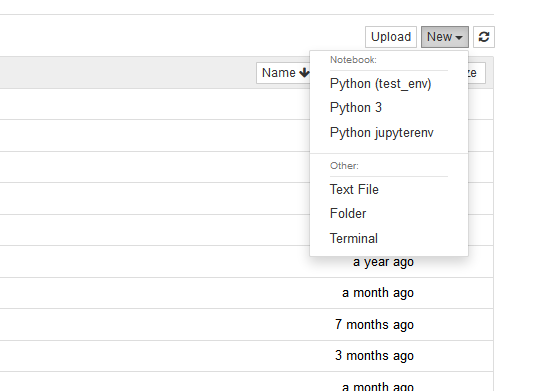
- Once that is done you can start a new Jupyter instance on the ondemand webpage. You should see the new environment when you click on the “new” dropdown menu in Jupyter (see image below)